EIR
EIR is a framework for supervised modelling, sequence generation, survival analysis, and image/array generation on genotype, tabular, sequence, image, array, and binary input data. It is designed to provide a high-level, yet modular API that reduces the amount of boilerplate code and pre-processing required to train a model.
Warning
This project is in alpha phase. Expect backwards incompatible changes and API changes.
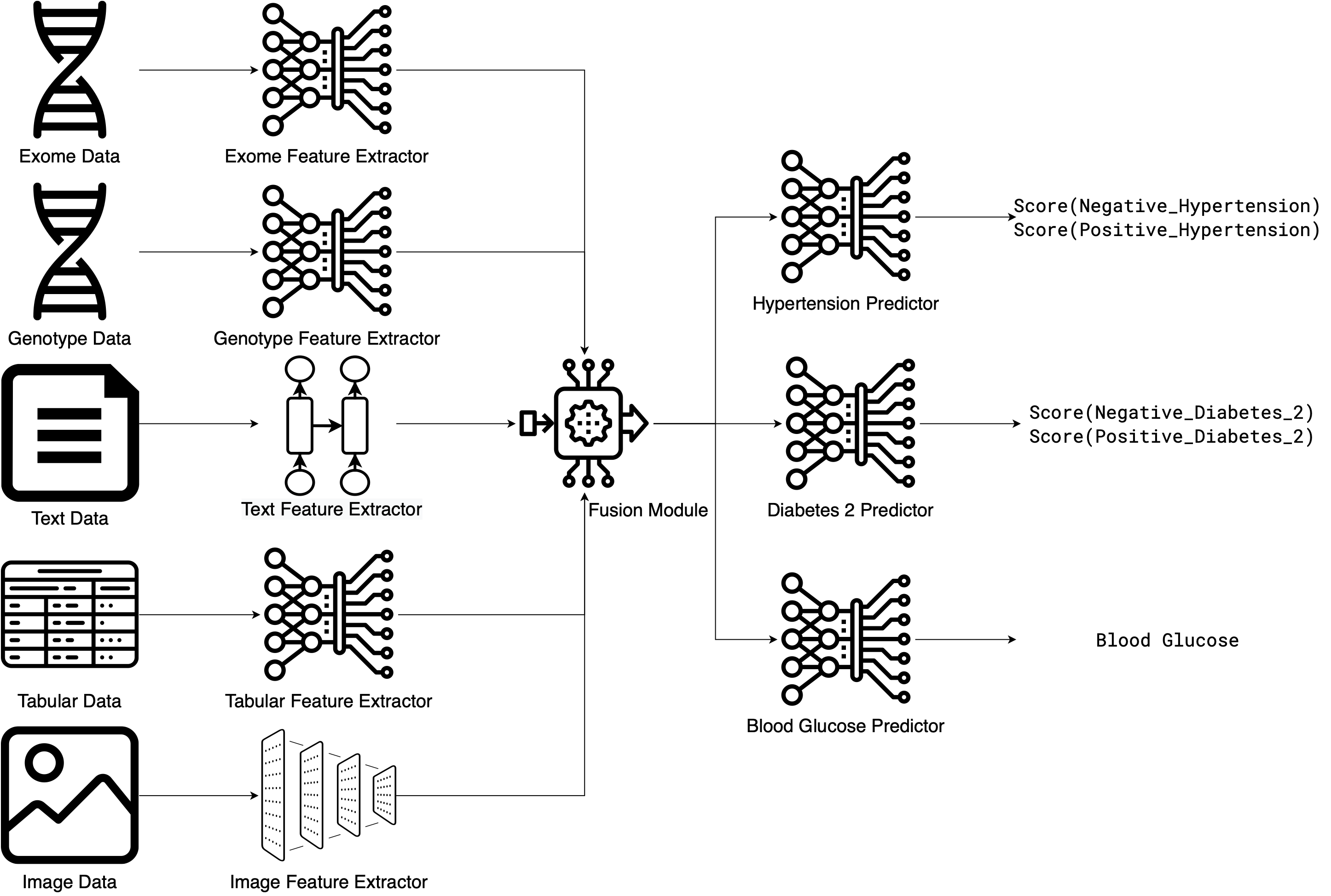
TL;DR - Just Show Me How It Works
Want to see how EIR works first? Skip ahead to the Genotype Tutorial: Ancestry Prediction for an example that covers:
Training a deep learning model on genomic data using just YAML config files
Command-line training with automatic evaluation metrics and visualizations
Making predictions on new samples (both known and unknown labels)
Serving trained models as web APIs for real-time inference
No boilerplate code - just configuration and results
Estimated time: 15-20 minutes
Or browse the Tutorials to see examples for your specific data type.
Installation
Prerequisites
Python 3.13 (must be installed and accessible in your PATH for
venvor specifiable forconda/uv)
Installation Steps
1. Create a Python 3.13 environment:
Using venv (ensure python3.13 or the correct alias for your Python 3.13 installation is used):
$ python3.13 -m venv eir-env  # Or use 'python -m venv eir-env' if 'python' is already Python 3.13
$ source eir-env/bin/activate
Using conda:
$ conda create -n eir-env python=3.13
$ conda activate eir-env
Using uv:
$ uv venv eir-env --python 3.13
$ source eir-env/bin/activate
2. Verify Python 3.13 in your environment:
Once your chosen environment is activated, verify the Python version:
$ python --version
# Should show Python 3.13.x
3. Install EIR:
With your Python 3.13 environment activated:
$ pip install eir-dl
4. Verify installation:
$ eirtrain --help
Important
The latest version of EIR supports Python 3.13. Using an older version of Python will install an outdated version of EIR, which is likely to be incompatible with the current documentation and may contain bugs. Please make sure that you are installing EIR in a Python 3.13 environment.
Installing EIR via Container Engine
Here’s an example with Docker:
$ docker build -t eir:latest https://raw.githubusercontent.com/arnor-sigurdsson/EIR/master/Dockerfile
$ docker run -d --name eir_container eir:latest
$ docker exec -it eir_container bash
GPU Support
EIR automatically detects and uses GPU acceleration when available. No additional configuration is required if you have a CUDA-compatible setup with PyTorch GPU support. It should also work with MPS on macOS.